reMarkable Digital Planner vs Paper Planner: Should You Switch?
In this guide:
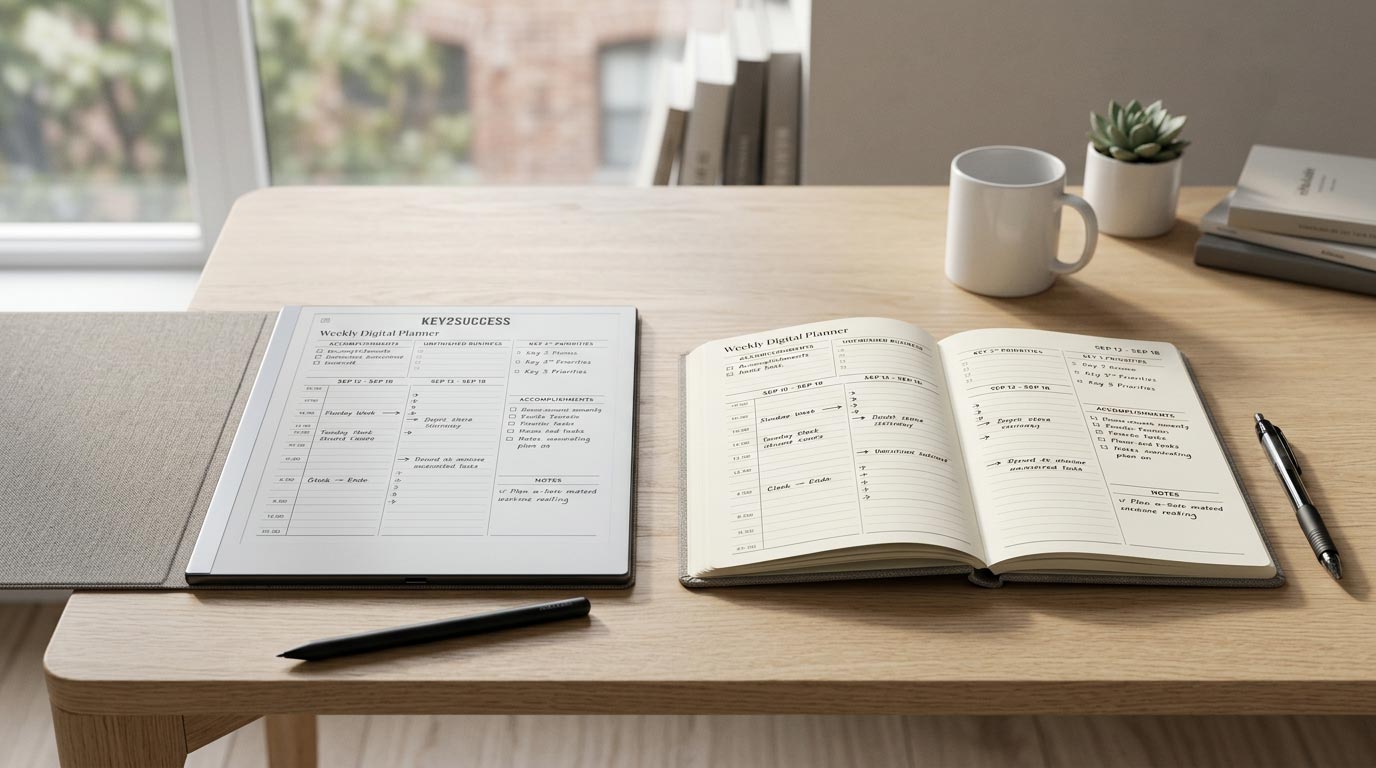
Most people frame the reMarkable digital planner vs paper planner question as a device question. It isn't. It's a data question. Paper and digital both let you write down a plan for tomorrow. The real difference shows up eight months later, when you need to find what you decided in a meeting back in March, or check what you actually did the last three times you tried to hit a deadline like this one. Paper makes you flip pages. Digital makes you type three words into a search bar.
Most people also switch for the wrong reason first (a nicer-looking desk) and the right reason second (they can't find anything in their old notebooks). Here's the honest breakdown of what changes, what it costs, and who should actually make the move.
Runs identically on a reMarkable 1, reMarkable 2, Paper Pro, or the new Paper Pure — no repurchase when you upgrade devices.
Reorder cost for a digital planner going forward. A paper planner gets thrown away and repurchased every single year.
The year Key2Success started building digital planning systems — this isn't a trend call, it's over a decade of use.
Quick Verdict: Should You Switch?
If you write something down almost every day and you've ever dug through old notebooks looking for a number, a name, or a decision you made months ago, switch. A reMarkable digital planner turns every page you've ever written into something you can search in seconds. If your planning is lighter, mostly a weekly calendar and a short task list you rarely revisit, a paper planner is still a perfectly good tool and you don't need to spend money solving a problem you don't have.
What You Gain Going Digital
Four things change the moment you move your planning system onto a reMarkable, and they compound over time in a way paper simply can't match.
- Search. Every page you've ever written becomes findable. Type a client name, a project, or a word you vaguely remember using, and the device pulls up every page it appears on. This is the single biggest upgrade over paper, and it's also the one feature that requires a reMarkable Connect subscription to unlock.
- Undo. Cross out a mistake on paper and it's still there under the line. On reMarkable, you erase or undo and the page is clean again. For anyone who plans in ink, this alone changes how confidently you write.
- Sync. Your planner backs up to the cloud automatically once you're connected to wifi. Drop the device in a bag, spill coffee near it, lose it entirely, and the pages themselves aren't gone.
- Reuse. A hyperlinked digital planner is one file. You don't buy a new one every January. You open the same file, jump to the current week through the built-in navigation, and keep going. Our guide to using a hyperlinked planner on reMarkable covers exactly how that navigation works.
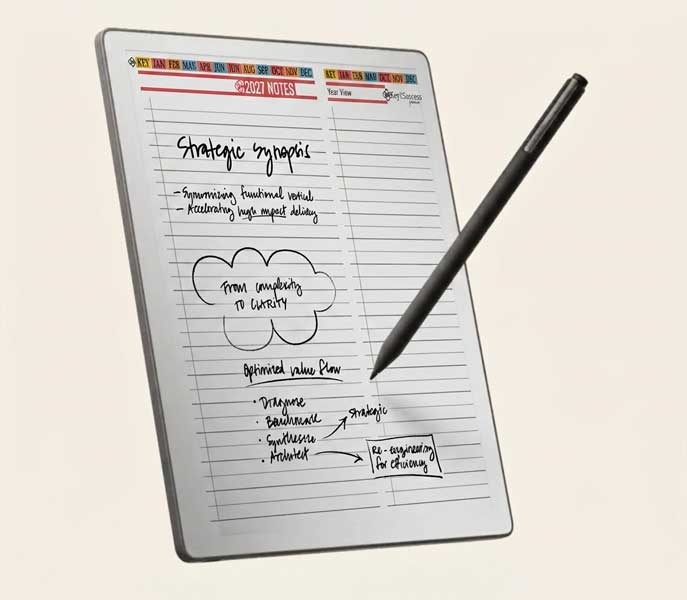
None of that requires giving up the handwriting feel that made you like paper in the first place. You're still writing by hand, on a page that resists like paper. You're just writing on a page that remembers everything.
What You Give Up Going Digital
Be honest about the trade-offs before you spend anything. Two things get worse, not better, when you switch.
- Feel. An E Ink screen and stylus is close to paper, but it isn't paper. The texture is slightly different, and some people never stop noticing it. If you're the kind of planner who loves the ritual of a specific pen on a specific paper stock, that ritual doesn't fully transfer.
- Simplicity. A paper planner has zero learning curve. You open it and write. A reMarkable has folders, favorites, an app to pair, and, if you want handwriting search, a subscription to set up. None of it is hard, but it isn't zero, either. Our step-by-step install guide gets you through setup in about two minutes, but that's still two minutes more than opening a notebook.
One more honest note: no current reMarkable, including the Paper Pure, has a front light. You'll want a lamp or a window nearby, the same way you would with an actual paper notebook. That's a deliberate design choice on reMarkable's end, not a flaw specific to one model, and it's worth knowing before you buy rather than after.
Cost Over Time: Digital vs Paper
Digital looks more expensive on day one and cheaper every year after that. Here's why.
A paper planner isn't a one-time purchase. It's a subscription you pay manually, once a year, forever. Mid-range and premium paper planners commonly run $30 to $60 or more per year, and that's before pens, refills, or a replacement when the current one wears out or fills up before December. Over five years, a decent paper system can easily run $200 to $300, and you're holding nothing from year one by the time you're done.
A reMarkable is a single upfront cost for the device, plus your Key2Success planner file, which you keep and reuse indefinitely. You don't repurchase the planner every year. The only recurring cost is optional: a reMarkable Connect subscription, which unlocks handwriting search and AI-generated summaries. It isn't required to use the planner at all, and reMarkable gives new devices a 50-day free trial before it charges anything, so you can decide with real use behind you rather than a guess.
The math flips in digital's favor once you own the device for more than a year or two, which is most people. If you don't want a subscription of any kind, skip Connect. You still keep a reusable planner file with none of paper's annual repurchase cost.
Who Should Switch (and Who Should Not)
Switch if:
- You write daily and regularly need to reference something you wrote weeks or months ago
- You're tired of buying a new planner every January and starting from a blank system each time
- You travel or move between locations and don't want to carry (or risk losing) a physical notebook
- You want your notes backed up somewhere other than a drawer
Stay on paper if:
- Your planning is light: a weekly calendar and a short task list you rarely revisit
- You specifically want zero screens in your day and that's non-negotiable
- You genuinely love the tactile ritual of a particular pen and paper stock and don't want that replaced
For anyone weighing which reMarkable to actually buy once they've decided to switch, our Paper Pure vs reMarkable 2 comparison breaks down the display, battery, and price differences between the current models, so you're not guessing on hardware after you've already decided on digital.
How to Move Your Paper Workflow to reMarkable
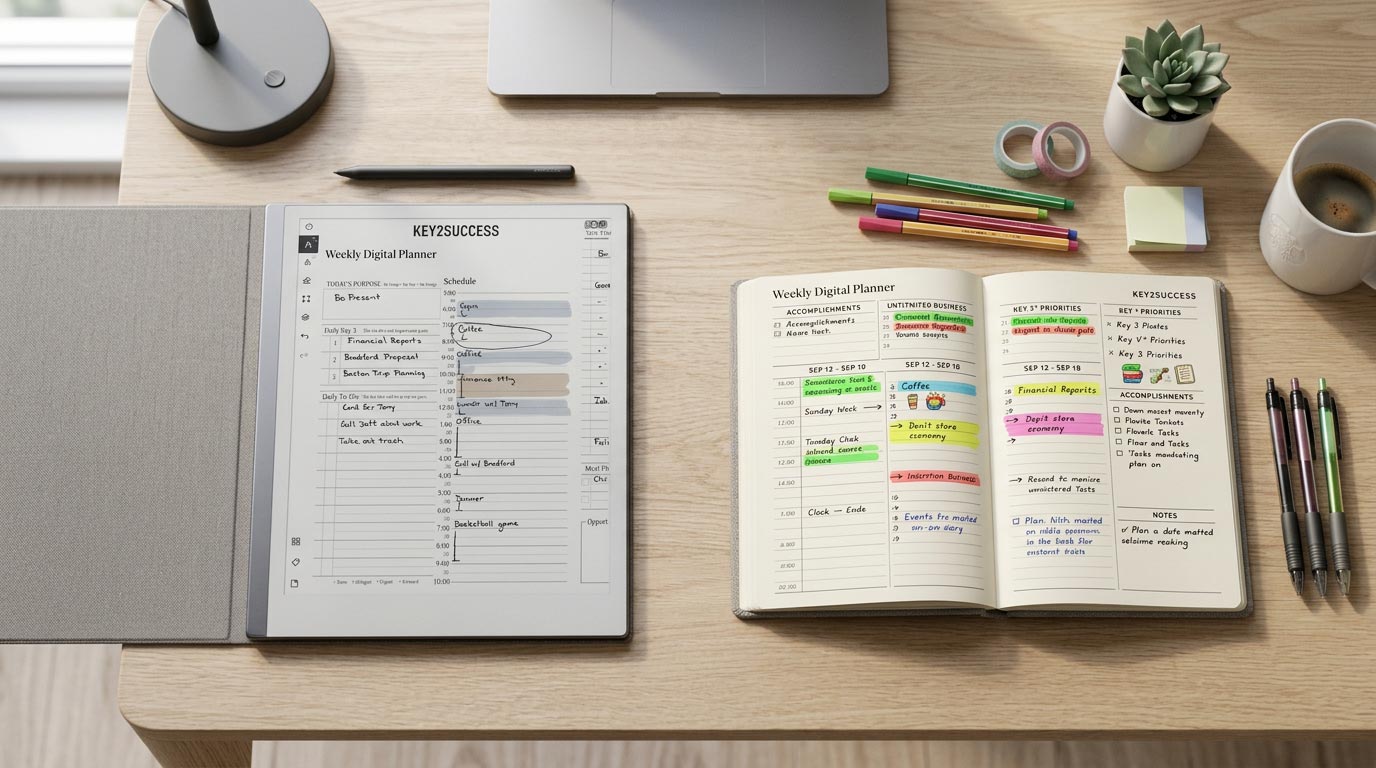
Don't try to recreate every page of your old notebook. Rebuild the workflow, not the paper.
- Pick your Key2Success edition based on how you already plan — daily-first, weekly-first, or goal-first — from the full planner lineup linked above.
- Install the planner file on your reMarkable using our step-by-step install guide, linked earlier in this article. It takes about two minutes and works on any current reMarkable model.
- Carry over active items only. Don't scan old notebook pages. Move your current open tasks, upcoming deadlines, and any running lists you actually use into the new digital pages by hand. Leave the finished pages in the old notebook where they belong.
- Run both for one week if you're nervous about the switch. Keep the paper planner nearby, but make every new entry in the digital one. Most people stop opening the paper planner by day four.
- Build the daily habit. Once the file is installed and your active items are moved, the piece that actually determines whether the switch sticks is your routine. Our guide to daily planning on reMarkable covers a system built to stick past the first week.
Ready to make the switch? The Key2Success Planner for reMarkable is one hyperlinked file, built for daily, weekly, monthly, and goal-setting workflows, and it runs on every current reMarkable model.
Shop Key2Success for reMarkableShould You Switch? A 5-Question Checklist
Answer yes or no to each. Three or more "yes" answers means you're a strong candidate to switch.
- Do you write something down almost every day, not just once a week?
- Have you ever needed to find an old note and couldn't, or it took longer than a minute of flipping pages?
- Do you resent buying and setting up a brand-new planner every year?
- Would losing your current notebook (theft, coffee, a move) actually cost you real information?
- Are you willing to spend two minutes on a one-time setup in exchange for permanent search and backup?
The Takeaway
Paper isn't more focused than a reMarkable digital planner. It's just more forgiving of a planning system you never finished building, because you can't search a blank system's gaps the way you can search a digital one's. reMarkable doesn't fix a bad planning habit. It just removes the excuse of "I know I wrote that down somewhere" and replaces it with an actual answer.
If you write daily and you've ever lost a note you needed, the switch pays for itself the first time the search bar saves you twenty minutes. Grab the Key2Success Planner for reMarkable above and put it to the test for yourself.
FAQ: reMarkable Digital Planner vs Paper Planner
Is a reMarkable digital planner really better than a paper planner?
It's better for anyone who needs to find old notes quickly, wants automatic backup, or is tired of repurchasing a planner every year. It isn't strictly "better" for someone with light planning needs who never looks back at old pages — paper works fine for that.
Do I need a reMarkable Connect subscription to use a digital planner?
No. Installing and writing in your planner requires no subscription. Connect is only needed for handwriting search and AI-generated summaries, and new devices get a 50-day free trial before any charge.
Will I lose the feel of writing on paper if I switch?
The writing surface is designed to mimic paper's resistance, and most people adjust within a few days. It's close, not identical — if the exact texture of a specific pen and paper stock matters to you more than searchability, that's worth weighing before you buy.
Can I switch back to paper if digital doesn't work for me?
Yes. Nothing about switching to a digital planner locks you in. If you decide it isn't for you, you can go back to paper at any time — the reMarkable and your notes simply sit unused, or you can resell the device.
Which reMarkable should I buy for a digital planner?
Any current reMarkable model runs the same hyperlinked planner file. Choice usually comes down to screen size and budget rather than planner compatibility. See our Paper Pure vs reMarkable 2 comparison, linked earlier in this article, for the current model breakdown.
Quick Answers
Does the Key2Success planner work on every reMarkable model?
Yes — it's a hyperlinked PDF, so it installs and behaves the same on the reMarkable 1, reMarkable 2, Paper Pro, and Paper Pure.
Do I need wifi to write in a digital planner?
No, you can write offline; wifi is only needed to sync and back up your pages.
Does any reMarkable have a front light?
No, not even the newest Paper Pure — plan on natural or lamp light, the same as with paper.
Can I still doodle or sketch in a digital planner?
Yes, the stylus works for freeform drawing and sketching, not just structured planner fields.
Is a digital planner more expensive than paper upfront?
Yes, the device costs more on day one, but it becomes cheaper than paper after a year or two since you stop repurchasing a planner annually.
Can I export or print pages from my digital planner?
Yes, pages can be exported as PDFs from the reMarkable app for printing or sharing.
What happens to my planner file if I upgrade to a new reMarkable device?
You keep your download and simply transfer the same file to the new device — no repurchase required.
Is handwriting search accurate on reMarkable?
It's generally strong for legible handwriting, though accuracy depends on your handwriting style and requires an active Connect subscription.
Do I have to buy a new planner file every year with a digital system?
No — the Key2Success planner file is reusable indefinitely; you're not repurchasing it annually the way you would a paper planner.
Will my handwritten notes sync across devices?
Yes, once connected to wifi and signed into your reMarkable account, your notes back up to the cloud and are viewable through the reMarkable app.
Sources
- reMarkable Connect pricing — reMarkable official site
- About the Connect subscription — reMarkable Support
- Year planner prices and sizes — Year-Planners.com
- Paper Pure vs reMarkable 2 comparison video — Key2Success Planner
- How to Install the Key2Success Planner on Your reMarkable — Key2Success Planner