Goal Setting on reMarkable with Vision and Yearly Pages
In this guide:
Most goal-setting advice stops at "write it down," which is true but incomplete. A reMarkable goal setting planner only works if the goal survives contact with a random Tuesday in March, and that takes more than a single page filled out in January and never opened again. It takes a structure that runs the vision downhill, from the year to the quarter to the week to the day you're actually living in.
Most goal-setting systems don't fail because the goals were wrong. They fail because nothing ever connected them to a Tuesday. A vision page nobody revisits is a wish list with better handwriting.
Goal achievement rate with regular accountability updates versus keeping goals unwritten and private, per Dominican University research.
The recommended number of quarterly objectives before focus starts diluting, borrowed from the OKR framework popularized by John Doerr.
Quarterly reviews per year that keep a yearly vision connected to what's actually happening in your daily pages.
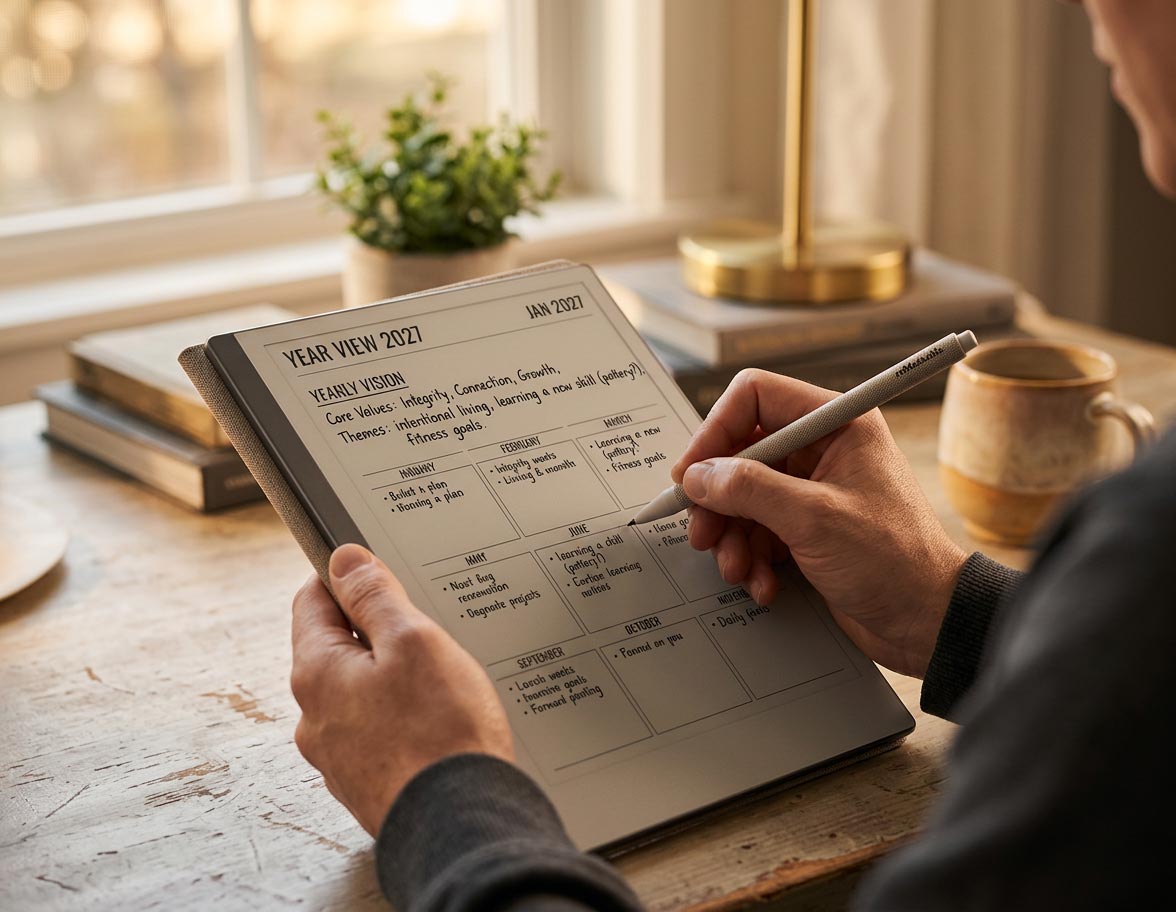
Start With a Yearly Vision
Before any quarterly goal gets written down, spend real time on a single yearly vision page: a short, honest statement of the direction you want the year to move in, not a list of resolutions. This isn't busywork. Dr. Gail Matthews' study on goal achievement at Dominican University found that people who wrote their goals down and stayed accountable to them succeeded at dramatically higher rates than people who kept the same goals private and unwritten.
Keep the vision page loose. A handful of sentences or a short list of themes is enough. The specificity comes later, at the quarterly level, once the direction itself is settled.
Break Goals Into Quarters
A year is too long a span to plan against directly, and a week is too short to hold anything ambitious. The quarter is the unit that actually works, which is why the OKR framework John Doerr brought to Google runs on quarterly cycles rather than annual ones. Translate your yearly vision into three to five quarterly goals, no more. More than five and nothing gets your full attention; the framework's own guidance is that diluted focus defeats the purpose of setting a small number of goals in the first place.
Each quarterly goal should be specific enough that you could tell, ninety days from now, whether you hit it or not. "Grow the business" isn't a quarterly goal. "Close 10 new clients by the end of Q2" is.
Connect Goals to Weekly and Daily Pages
A quarterly goal that never shows up on a weekly or daily page is a goal that exists only in January. Once your quarter is set, pull each goal down into your weekly planning as a recurring priority, and let it compete honestly for a slot in your daily top three alongside everything else on your plate.
This is the step most goal-setting systems skip entirely, and it's the one that actually matters. A goal with no weekly or daily presence isn't being worked on. It's being remembered, which is a very different thing.
Track Progress Without Clutter
Goal tracking fails in one of two directions: either it's nonexistent, so progress is a guess, or it's so elaborate that maintaining the tracker becomes its own project. Aim for a single dedicated progress page per quarterly goal, not a note scattered across a dozen daily pages. If the default layout doesn't give you the tracking format you need, habit grids, milestone checklists, or a simple progress bar, that's exactly what Tiles by Key2Success are built for: a custom tracking page you drop in without disturbing the rest of the file's navigation.
Set a Review Cadence
A vision page and a stack of quarterly goals do nothing without a fixed rhythm for checking them. Set a specific day each quarter, not "sometime around March," to sit down and ask whether the current goals still serve the yearly vision or need to change. Between those quarterly check-ins, a lighter monthly glance at the same page keeps drift from building up unnoticed for three months straight.
This cadence is what separates a goal-setting system from a goal-writing exercise. The writing takes an afternoon in January. The reviewing is what makes the writing worth anything.

Vision Pages in the Key2Success System
The Key2Success vision page is built as one screen: a short vision statement, three to five annual themes, and space for a quarterly check-in written directly onto the same page rather than buried in a separate section. Because it's meant to hold a full year's direction at a glance, screen size matters more here than on almost any other page in the planner. If you're deciding which reMarkable to run your goal-setting system on, our Paper Pure vs reMarkable 2 comparison covers the display differences that affect how comfortably a full vision page reads.
The page is hyperlinked into the rest of the Key2Success planner the same way every other section is, so getting from a Tuesday's daily page back to the yearly vision that Tuesday is supposed to serve takes a couple of taps, not a search through a drawer.
Every Key2Success edition includes a built-in vision page connected to quarterly, weekly, and daily views, all hyperlinked on your reMarkable.
Shop Key2Success for reMarkableYour Yearly Vision Kickoff: 4-Step Worksheet
Set aside thirty minutes and work through these in order.
- Write a short vision statement for the year, three to five sentences, no task list yet
- List three to five annual themes that support that vision
- Turn this quarter's theme into one specific, checkable quarterly goal
- Put that goal on next week's weekly priorities before you close the planner
The Takeaway
A vision page is not a decoration for the front of your planner. It's only worth the ten minutes it takes to write if something forces you back to it four times a year and asks whether the last ninety days actually moved it forward. Most goal-setting systems collect dust for exactly that reason: nobody built the review in.
Write the vision once. Reopen it every quarter. Grab the Key2Success Planner for reMarkable above and build both into the same file.
FAQ: reMarkable Goal Setting Planner
What is the best way to set goals on a reMarkable digital planner?
Start with a loose yearly vision, break it into three to five quarterly goals, and connect each goal down to your weekly priorities and daily top three so it actually gets worked on rather than just remembered.
How many goals should I set per quarter?
Three to five. More than that dilutes focus to the point where nothing gets your full attention, which defeats the purpose of narrowing down from a broader yearly vision.
How do vision pages connect to daily and weekly planning?
Quarterly goals derived from the vision page get pulled into weekly planning as recurring priorities, which then compete for a spot in the daily top three, keeping the yearly vision present in day-to-day decisions.
How often should I review my goals?
Do a full review each quarter, with a lighter monthly glance in between to catch drift before it builds up over several months unnoticed.
Can I track goal progress without cluttering my daily pages?
Yes, keep a single dedicated progress page per quarterly goal rather than scattering notes across daily pages. Tiles by Key2Success can add a custom tracker layout if the default pages don't fit your format.
Quick Answers
Does the goal-setting system work on every reMarkable model?
Yes, the vision, quarterly, weekly, and daily pages work identically on the reMarkable 1, reMarkable 2, Paper Pro, and Paper Pure.
Do I need a reMarkable Connect subscription for goal setting?
No, the vision and goal pages work with no subscription required.
Should I set goals for the calendar year or a rolling twelve months?
Either works; the calendar year is simpler to align with quarterly reviews and most planner layouts.
What if I miss a quarterly review?
Do it as soon as you notice rather than waiting for the next scheduled one; a late review still catches drift better than skipping it entirely.
Can I change my quarterly goals mid-quarter?
Yes, if circumstances genuinely change; the point is honest progress toward the yearly vision, not rigid adherence to a goal that no longer makes sense.
Do I need a separate app to track goal progress?
No, a dedicated progress page inside the planner is enough for most people; a separate app usually just adds another place to check.
Can I use this goal-setting method without the rest of the daily and weekly system?
You can, but goals connected to your daily and weekly pages get worked on far more consistently than goals tracked in isolation.
Do I need wifi to use the vision and goal pages?
No, writing and navigating these pages works fully offline; wifi is only needed for backup and sync.
Sources
- The Impact of Commitment, Accountability, and Written Goals on Goal Achievement — Dr. Gail Matthews, Dominican University
- OKRs Explained — What Matters (John Doerr)
- Weekly and Monthly Planning on Your reMarkable — Key2Success Planner
- Daily Planning on reMarkable: A System That Actually Sticks — Key2Success Planner
- Customize Your reMarkable Planner with Tiles by Key2Success — Key2Success Planner
Pingback: Customize Your reMarkable Planner with Tiles by Key2Success